There’s a few of applications I recommend to other people. One of them is KeePass. (It’s free!) It stores your passwords in one big password-locked file. I have accounts for hundreds of different websites. It’s also a really bad idea to use the same password across all of them. For example, if some adminstrator on some website decides they want to hack into your gmail account, it’s a whole lot easier if you’re using the same password for gmail as you are on their website. Even worse, some people don’t want to remember passwords, so they use simple (easily hacked) passwords like “123456” or “password”.
If you’re using the same password everywhere, it’s a whole lot harder to change your password if it ever gets compromised. It’s not uncommon for sites to get hacked (case in point: Gawker) and if you’re using the same password on dozens of sites, it’s a pain because you’ll want to start using a new password for your Gawker account and probably your email account, too. Now you’ve got to remember which sites use your old password, which ones use your new one, or maybe you want to switch all of the websites to use your new password (good luck remembering all of them).
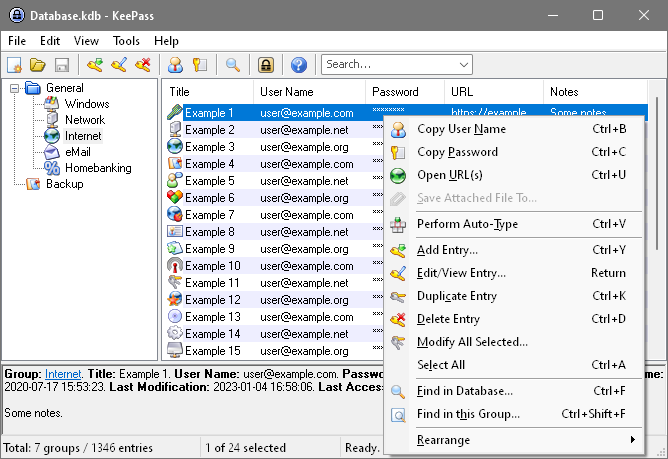
KeePass keeps track of all your usernames, passwords, and login URLs for you. They can automatically generate random passwords for you, too – which means your password is harder to guess, and all your passwords will be different. You’ll definitely want to keep a backup of your KeePass database, though, because if you ever lose them, you’ll be screwed.
Links:
Wikipedia article about KeePass
KeePass official site (download it here)
